How to Explore Multiple Paths Without Turning Everything into a Garbage Heap
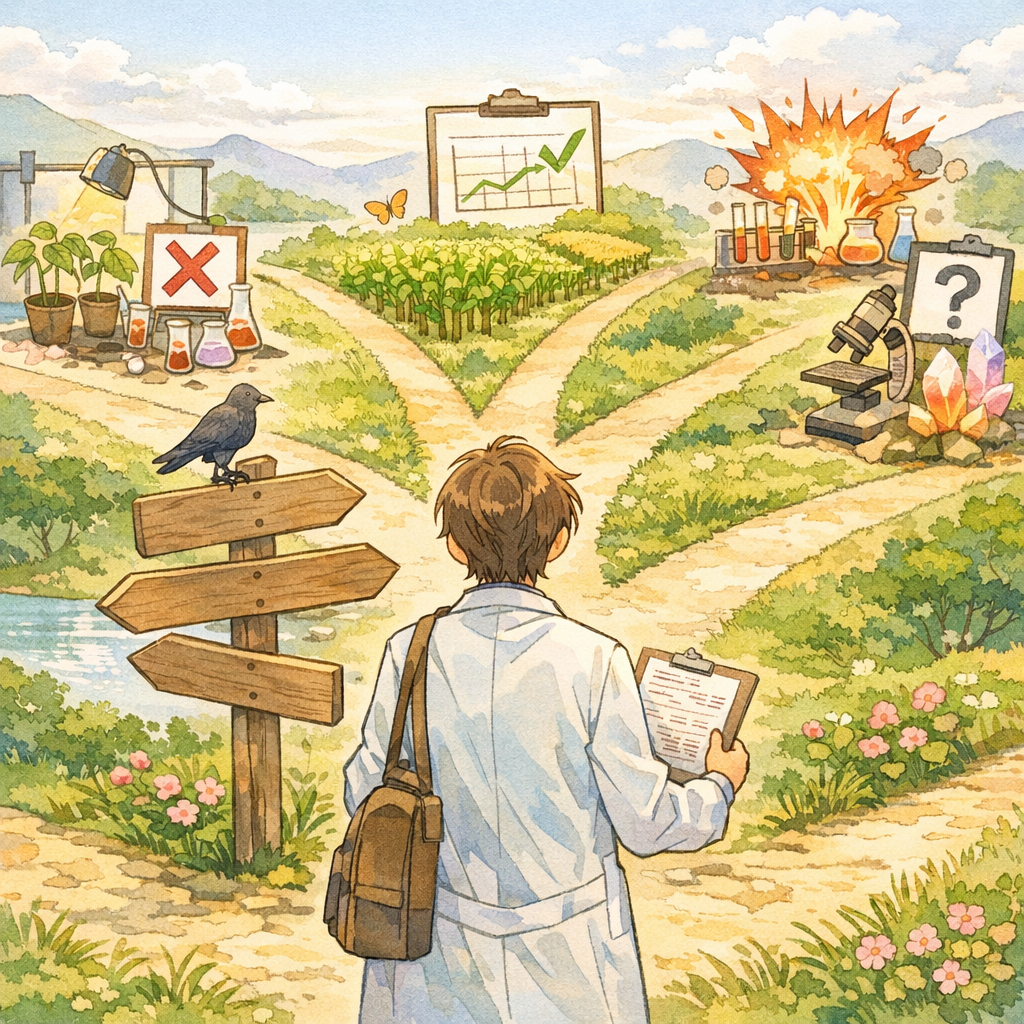
Story Introduction: From “Flexible Exploration” to “Afraid to Touch Anything”

Your research project has reached its third month. You are a diligent researcher and have tried many different directions:
-
Path A: Improve the model architecture (5 different attention mechanisms)
-
Path B: Optimize the training strategy (3 different learning-rate schedules)
-
Path C: Enhance data quality (4 preprocessing methods)
-
Path D: Adjust the loss function (6 different loss combinations)
You are excited-so much exploration! You will surely find an effective combination!
But when you open the project directory, what you see looks like this:
experiments/
  train_v1.py
  train_v2.py
  train_v2_fixed.py
  train_v3_final.py
  train_v3_really_final.py
  train_attention_test.py
  train_loss_ablation.py
  ... (20+ files)

outputs/
  run_0523/
  exp_new/
  test_attention/
  final_results/
  final_results_v2/
  backup_0601/
  temp/
  ... (50+ directories)

configs/
  config.yaml
  config_old.yaml
  config_backup.yaml
  config_test.yaml
  ... (15+ files)
The problems begin to surface:
Problem 1: You cannot find the best result
You remember that one experiment performed very well, but you cannot recall which config it used or which output directory it corresponds to. You start opening directories one by one, checking logs, trying to locate that result. Two hours later, you are still not sure whether you found the right one.
Problem 2: You dare not delete anything
outputs/ already occupies 50GB, but you do not dare delete any directory-what if the one you delete is exactly the experiment needed for the paper? You decide to “keep it for now; the disk is large enough anyway.”
Problem 3: You cannot compare different paths
 You want to compare the effects of “Path A (attention improvements)” and “Path B (learning-rate optimization),” but you discover that:
-
They use different baselines (one from three months ago, one from recently)
-
They use different evaluation scripts (one computes top-1, the other top-5)
-
The data split may also be different (you cannot remember clearly)
Problem 4: You cannot merge effective improvements
You find an effective improvement in Path A and want to port it to Path B, but you realize that:
-
The code in Path A and Path B has already diverged
-
The data-loading logic is incompatible
-
Merging requires substantial manual work
You realize: flexible exploration has turned into disorderly chaos, and parallel multi-path exploration has become a garbage heap.
Why Multi-Path Exploration Easily Gets Out of Control
The essence of research is uncertainty: you do not know which path will succeed, so you need to explore multiple directions simultaneously. However, without management mechanisms, the more you explore, the higher the degree of chaos.
Three Stages of Losing Control
Stage 1: Rapid Exploration (Weeks 1-4)
Behavior:
-
Try whatever comes to mind, without being constrained by conventions
-
Copy and paste code, change the name, and use it
-
Put outputs wherever convenient-“just get it running first”
Feeling: full of energy, rapid progress.
Stage 2: Path Divergence (Weeks 5-8)
Behavior:
-
Code across different paths begins to diverge, with less shared components
-
Each path has its own data processing, training scripts, and evaluation methods
-
New ideas are built on some old path rather than the mainline
Feeling: somewhat messy, but you can still remember the rough situation.
Stage 3: Uncontrolled Chaos (Week 9+)
Behavior:
-
You completely forget which experiment belongs to which path
-
You dare not delete anything; storage usage explodes
-
When you want to merge improvements, you find the paths are entirely incompatible
-
When preparing the paper, you rerun experiments and the results do not match your memory
Feeling: anxious, powerless, wanting to start over.
Root Cause: Lack of “Discardable” and “Mergeable” Mechanisms
The core challenges of multi-path exploration are:
-
You do not know which path will succeed, so you must explore multiple paths in parallel
-
You cannot keep everything, otherwise you will drown in an ocean of information
-
Successful paths must be merged back into the mainline, otherwise you cannot form a complete solution
If management mechanisms are missing:
-
Paths cannot be safely discarded (fear of deleting the wrong thing)
-
Paths cannot be easily merged (code divergence)
-
Paths cannot be clearly compared (inconsistent conditions)
Core Mechanisms: Isolation + Discardability + Comparability
Mechanism 1: Each Path Must Be Isolated
Three elements of isolation:
-
Independent Git branches
  exp/path-A-attention      # Path A: attention improvements
  exp/path-B-lr-schedule    # Path B: learning-rate optimization
  exp/path-C-data-aug       # Path C: data augmentation
  exp/path-D-loss-combo     # Path D: loss combinations
Benefits:
-
Code changes are independent and will not conflict
-
You can switch, compare, and merge at any time
-
Git history clearly records the evolution of each path
-
Independent configuration files
  configs/
    baseline.yaml              # Shared baseline
    path_A_attention.yaml      # Configuration for Path A
    path_B_lr_schedule.yaml    # Configuration for Path B
    path_C_data_aug.yaml       # Configuration for Path C
    path_D_loss_combo.yaml     # Configuration for Path D
Explicit inheritance relationships in the configs:
# path_A_attention.yaml base: baseline.yaml # Inherit the baseline configuration # List only the differences model: attention_type: "multi_head" # Change point num_heads: 8 experiment: name: "path_A_attention" hypothesis: "Multi-head attention is more effective than single-head attention" -
Independent output directories
outputs/ path_A/ 2026-02-01_1030_baseline/ 2026-02-01_1500_multi_head_attn/ 2026-02-02_0900_improved_attn/ path_B/ 2026-02-01_1100_baseline/ 2026-02-01_1600_cosine_schedule/ 2026-02-02_1000_warmup_schedule/ path_C/ …
Benefits:
-
The experimental results for each path are clearly grouped.
-
When deleting an entire path, you only need to delete the corresponding directory.
-
During archiving, you can package by path.
Mechanism 2: Explicit Lifecycle Management

Each exploration path should have a clearly defined lifecycle:
Create → Explore → Evaluate → Decide (keep/archive/delete)
Creation Phase
# 1. Create a branch
git checkout main
git checkout -b exp/path-E-new-idea

# 2. Create a configuration
cp configs/baseline.yaml configs/path_E_new_idea.yaml
# Edit the configuration and record the hypothesis

# 3. Create an output directory
mkdir -p outputs/path_E/

# 4. Record path information
cat > outputs/path_E/README.md <<EOF
# Path E: New Idea Exploration

## Hypothesis
[What hypothesis is this path intended to validate?]

## Baseline Comparison
Baseline for comparison: outputs/baseline/2026-02-01_1030_baseline
Expected improvement: [By how much is it expected to improve?]

## Key Changes
-
[Change 1]
-
[Change 2]
Start Date
2026-02-05
Status
Exploring EOF
Exploration Phase
Iterate freely on the branch and record each experiment:
# Run an experiment
python train.py --config configs/path_E_new_idea.yaml \
                --output outputs/path_E/2026-02-05_1030_try1/

# Record results (run.json is auto-generated; run.md is written manually)
# See Chapter 6

# Continue iterating
# Use a new run_id for each experiment; do not overwrite previous ones
Evaluation Phase
Periodically (e.g., weekly) evaluate the value of the path:
# Evaluation checklist

## Effectiveness Evaluation
-
Best result: [metrics]
-
Compared to baseline: [magnitude of improvement]
-
Stability: [variance across multiple runs]
Cost Evaluation
-
Time cost: [how much did training time increase?]
-
Compute cost: [does it require more resources?]
-
Complexity cost: [how much did code complexity increase?]
Insights Gained
-
What was discovered? [Even if it did not succeed, what was learned?]
-
Reasons for failure: [why did it not meet expectations?]
-
By-products: [any unexpected gains?]
Decision
[ ] Continue exploring (worth deeper investigation) [ ] Merge into mainline (successful) [ ] Archive (valuable but not the current focus) [ ] Delete (no value)
Decision Phase
Based on the evaluation results, make a clear decision:
Decision 1: Merge into mainline (path succeeds)
# 1. Clean up the code
# Ensure changes are minimal, clean, and testable

# 2. Run full verification
make test
make reproduce RUN=path_E/best_result

# 3. Merge
git checkout main
git merge exp/path-E-new-idea

# 4. Create a tag
git tag -a milestone-E-success -m \
  "Path E succeeded: the new idea improved baseline performance from X to Y"

# 5. Update baseline
cp outputs/path_E/best_result outputs/baseline/

# 6. Delete the experimental branch
git branch -d exp/path-E-new-idea

# 7. Update path status
echo "Status: Merged to main (2026-02-12)" >> outputs/path_E/README.md
Decision 2: Archive (valuable but not the current focus)
# 1. Create a tag to preserve the branch state
git tag -a archive/path-E-v1 -m \
  "Path E archived: preliminarily effective but requires more time to validate"

# 2. Organize artifacts
mkdir -p archives/path_E/
cp -r outputs/path_E/ archives/path_E/
cp configs/path_E_*.yaml archives/path_E/

# 3. Write a summary
cat > archives/path_E/SUMMARY.md <<EOF
# Path E Archive Summary

## Key Findings
[Summarize the key findings]

## Why Archive
[Explain why you are not continuing now, but why it is worth keeping]

## Conditions for Future Restart
[Under what circumstances is it worth exploring again?]

## References
-
Code version: git tag archive/path-E-v1
-
Best result: outputs/path_E/2026-02-10_1500_best/
-
Related papers: [external references] EOF
4. Delete the experimental branch (keep the tag)
git branch -d exp/path-E-new-idea
5. Delete outputs (already archived)
rm -rf outputs/path_E/
Decision 3: Delete (no value)
# 1. Final confirmation
# Check whether there are any valuable findings or code

# 2. Delete outputs
rm -rf outputs/path_E/

# 3. Delete configurations
rm configs/path_E_*.yaml

# 4. Delete the branch
git branch -D exp/path-E-new-idea  # -D forces deletion
5. Record Deletion Reasons (Optional but Recommended)
cat >> docs/EXPLORATION_LOG.md <<EOF
## Path E (Deleted, 2026-02-12)
- Hypothesis: [original hypothesis]
- Result: [why it failed]
- Lesson: [what was learned] EOF
Mechanism 3: A Baseline for Fair Comparisons
When comparing all paths, you must use the same baseline:
Establish the Baseline Experiment
# 1. Run the baseline experiment on the main branch
git checkout main
python train.py --config configs/baseline.yaml \
                --output outputs/baseline/2026-02-01_1030_baseline/

# 2. Verify that the baseline is reproducible
make reproduce RUN=baseline/2026-02-01_1030_baseline

# 3. Create a tag
git tag -a baseline-v1 -m "Common baseline for all paths"

# 4. Record baseline information
cat > outputs/baseline/INFO.md <<EOF
# Baseline Experiment Information

## Configuration
-
Config: configs/baseline.yaml
-
Commit: $(git rev-parse HEAD)
-
Tag: baseline-v1
Results
-
Val accuracy: 0.920
-
Test accuracy: 0.915
-
Training time: 2.5 hours
Purpose
The comparison baseline for all paths (A-Z). Any improvement from any path should be reported relative to this baseline.
Reproduction
make reproduce RUN=baseline/2026-02-01_1030_baseline EOF
Standardizing Path Comparisons
# Example comparison script
# compare_paths.py

import json
from pathlib import Path

def compare_to_baseline(path_name):
    """Compare the results of a given path against the baseline"""
    baseline = load_best_run("outputs/baseline")
    path = load_best_run(f"outputs/{path_name}")

    print(f"\n{'='*60**")
    print(f"Path comparison: {path_name} vs Baseline")
    print(f"{'='*60**\n")

    # Compare configuration differences
    print("Configuration differences:")
    diff_configs(baseline["config"], path["config"])

    # Compare metrics
    print("\nMetric comparison:")
    compare_metrics(baseline["metrics"], path["metrics"])

    # Compare costs
    print("\nCost comparison:")
    compare_cost(baseline, path)

    # Conclusion
    print("\nConclusion:")
    if is_improvement(path["metrics"], baseline["metrics"]):
        print(f"[OK] Path {path_name} successfully improves the baseline")
        print(f"   Recommendation: merge into the mainline")
    else:
        print(f"[NO] Path {path_name} fails to improve the baseline")
        print(f"   Recommendation: archive or delete")

if __name__ == "__main__":
    import sys
    compare_to_baseline(sys.argv[1])
Weekly Cleanup Ritual: Organizing the Experiment Graveyard
Core idea: Regular cleanup is the only way to avoid a junk heap.
Friday Afternoon Cleanup Procedure (30 minutes)

Step 1: List All Active Paths (5 minutes)

# list_active_paths.sh

echo "Active exploration paths:"
git branch | grep "exp/" | while read branch; do
    echo "  - $branch"
done

echo "\nOutput directory sizes:"
du -sh outputs/*/ | sort -rh
Step 2: Evaluate Paths One by One (15 minutes)
For each path, ask three questions:
- Has there been new progress this week?
-
Yes: keep it
-
No: is it paused or abandoned?
- Is there an improvement compared to the baseline?
-
Yes: does it meet the merge criteria?
-
No: is it still worth continuing?
- How many resources does it consume?
-
Output directory size
-
Code complexity
-
Maintenance cost
Step 3: Execute Cleanup Actions (10 minutes)
# Example cleanup script
# weekly_cleanup.sh

#!/bin/bash

echo "Starting weekly cleanup..."

# 1. Archive paths from two weeks ago (if there is a tag)
git tag -l "archive/*" | while read tag; do
    tag_date=$(git log -1 --format=%ai $tag | cut -d' ' -f1)
    # [archiving logic]
done

# 2. Delete outputs marked as "to_delete"
find outputs/ -name ".to_delete" -type f | while read marker; do
    dir=$(dirname $marker)
    echo "Deleting: $dir"
    rm -rf $dir
done
3. Compress outputs older than one month (if they still have value)
find outputs/ -type d -mtime +30 | while read dir; do
    if [ -f "$dir/run.json" ]; then
        echo "Compressing: $dir"
        tar -czf "${dir}.tar.gz" $dir
        rm -rf $dir
    fi
done

# 4. Report freed space
echo "\nCleanup complete!"
du -sh outputs/
Cleanup Decision Tree
For each path, determine:
+-- Any activity in the past two weeks?
    |
    +-- Yes -> Improvement vs. baseline?
    |        |
    |        +-- Yes (>5%) -> [Merge into mainline]
    |        +-- Yes (3-5%) -> [Continue monitoring]
    |        +-- No (<3%) -> [Consider abandoning]
    |
    +-- No -> Does it have archival value?
             |
             +-- Yes (unique insights) -> [Archive]
             +-- No -> [Delete]
Special cases:
- Disk usage >10GB -> prioritize handling (compress or delete)
- Has external references (e.g., paper drafts) -> do not delete for now; add a marker
- High code complexity -> if there is no clear value, prefer deletion
Path Merge Strategy: From Exploration to a Stable Mainline
Pre-merge Checklist
Before merging a path into main, ensure that:
[ ] Stable improvement vs. baseline (validated across multiple runs)
[ ] Minimal changes (retain only necessary modifications)
[ ] Clean, maintainable code (passes lint and review)
[ ] Test coverage (at least a smoke test)
[ ] Configuration clearly documented (reproducible)
[ ] Does not break existing functionality (regression tests pass)
[ ] Documentation updated (README, API docs)
Progressive Merge Strategy
For complex paths, do not merge everything at once. A step-by-step approach is recommended:
Example: Merging “Path A: Attention Improvements”
# Path A contains three changes:
# 1. A new attention mechanism
# 2. Improved positional encoding
# 3. Adjusted learning rate

# Do NOT merge all changes at once!

# Step 1: Merge the most core improvement first (attention)
git checkout main
git checkout exp/path-A-attention -- src/models/attention.py
git commit -m "feat: add improved attention mechanism from path A"

# Validate
make test
make train CONFIG=configs/main_with_new_attention.yaml

# Step 2: If Step 1 succeeds, merge positional encoding
git checkout exp/path-A-attention -- src/models/position_encoding.py
git commit -m "feat: add improved position encoding from path A"

# Validate
make test
make train CONFIG=configs/main_with_attention_and_pos.yaml

# Step 3: Finally merge hyperparameter adjustments
# [If the first two steps both succeed]
Benefits:
-
Each step can be validated independently
-
If a step fails, it does not affect other improvements
-
Git history clearly records each improvement
-
Easier to pinpoint issues
Frequently Asked Questions and Solutions
Q1: There are too many paths-what if I cannot keep track of them?
Solution: Maintain a path tracking table.
# docs/EXPLORATION_TRACKER.md
# Exploration Path Tracker
| Path | Status | Hypothesis | Best Result | Decision | Last Updated |
|------|--------|------------|-------------|----------|--------------|
| A-attention | In progress | Multi-head attention is more effective | 0.925 (+0.5%) | Continue | 2026-02-10 |
| B-lr-schedule | Archived | Cosine scheduling is better | 0.922 (+0.2%) | Not significant | 2026-02-08 |
| C-data-aug | In progress | MixUp improves generalization | 0.930 (+1.0%) | **Consider merging** | 2026-02-12 |
| D-loss-combo | Deleted | Multi-task loss helps | 0.918 (-0.2%) | Negative effect | 2026-02-05 |
| E-new-idea | Just started | [To be validated] | - | Explore | 2026-02-12 |

## Baseline
Baseline: 0.920 (outputs/baseline/2026-02-01_1030_baseline)

## Plan for Next Week
- Path A: complete ablation studies to confirm each component's contribution
- Path C: run more seeds to verify stability
- Path E: initial implementation and validation
Update this table weekly (5 minutes) to maintain a clear view of the status of all paths.
Q2: What if code conflicts arise across different paths?
Prevention is better than cure:
-
Whenever possible, have paths modify different modules (e.g., one changes data, another changes the model)
-
Keep shared core code in src/ and avoid modifying it lightly
-
Put path-specific changes in experiments/
When conflicts occur:
-
Do not force-merge multiple paths
-
Merge one path first; after it is validated, recreate other paths based on the new main
-
Or: reassess whether merging multiple paths is truly necessary
Q3: What if I regret deleting a path?
Preventive measures:
- Tag before deletion:
git tag -a deleted/path-X -m "Path X before deletion"
-
Write a brief summary before deletion (see “Deletion Decision” above)
-
Archive important data to inexpensive storage first (e.g., cloud)
Recovery method:
# If there is a tag, you can restore the code
git checkout deleted/path-X

# Recreate a branch from it
git checkout -b exp/path-X-restored
If the output has been deleted, check the archive or backup
ls archives/path_X/
10-Minute Action: Organize the Current Exploration Paths
If you do only one thing right now: inventory and categorize all current exploration paths.
-
List all branches and outputs
git branch | grep "exp/" ls outputs/ -
Quickly categorize each path
Write in your notes:
Path A (exp/xxx): [In progress | Archived | Deleted] - Hypotheses: - Status: - Decisions: Path B (exp/yyy): [In progress | Archived | Deleted] - ... -
Perform one cleanup pass
# Delete paths that are clearly not valuable git branch -D exp/failed-path-X rm -rf outputs/path_X/ # Archive valuable but inactive paths git tag -a archive/path-Y mkdir -p archives/path_Y/ mv outputs/path_Y/ archives/path_Y/ # Update status records for active paths -
Create a tracking table
Create
docs/EXPLORATION_TRACKER.mdto record all active paths. -
Schedule next week’s cleanup time
Add to your calendar: **Every Friday 17:00 - Exploration Path Cleanup (30 minutes)}
After completing this 10-minute action, you will immediately feel:
-
Greater control over the project status
-
Clarity on which paths are worth continuing and which should be abandoned
-
No longer worrying that the “junk pile” will spiral out of control
Remember: multi-path exploration is an essential feature of research, but unmanaged multi-path exploration becomes a disaster. Regular cleanup is not a burden; it is a necessary ritual for staying clear-headed.